
Widget
One script tag.
Your whole support stack.
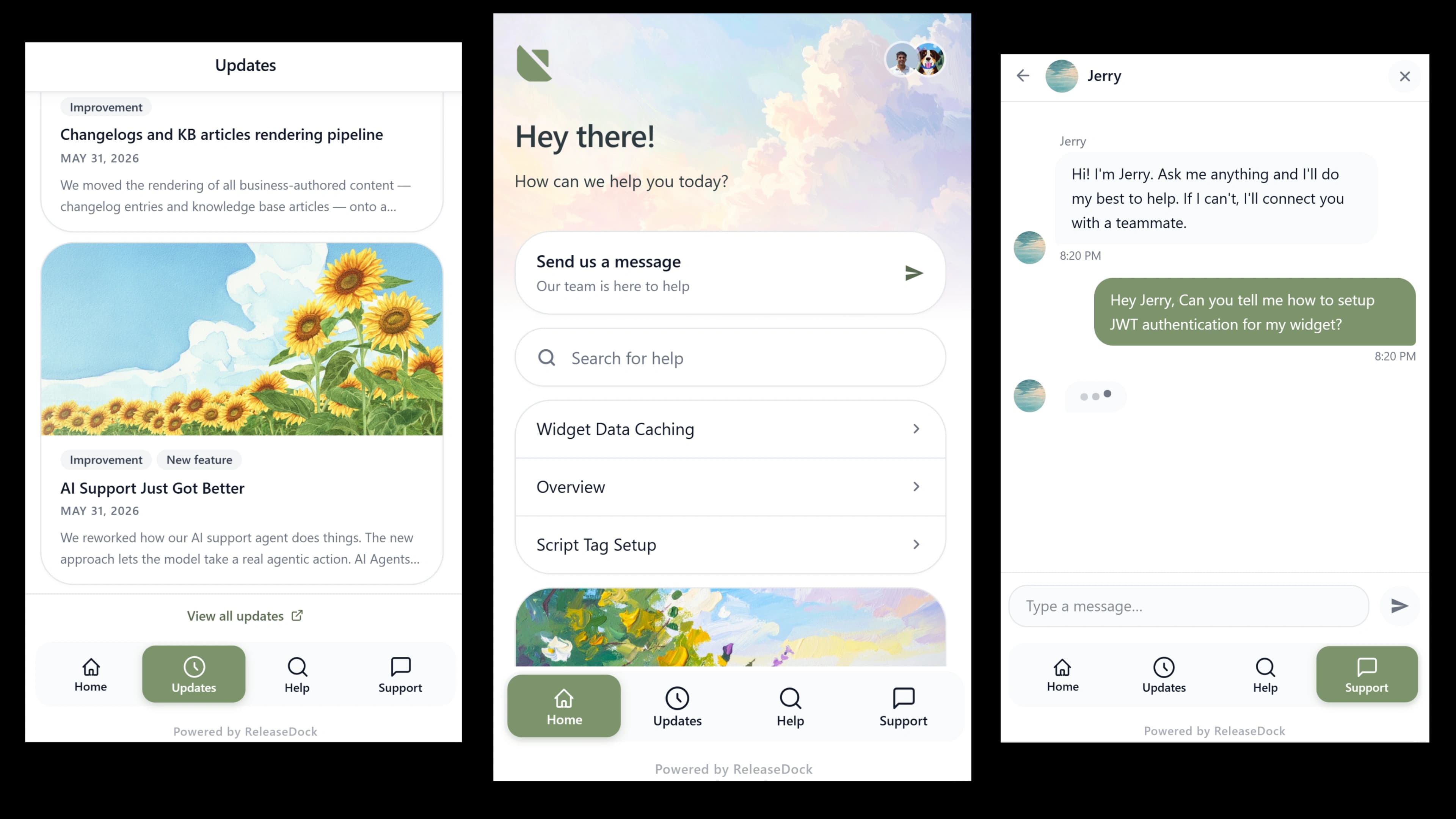
Most tools make you stitch together a chat widget, an announcement, and a docs site. ReleaseDock ships all three from a single embed: isolated in a Shadow DOM, styled to match your brand, and live in under two minutes.
Embed in under two minutes
No packages, no build steps, no framework lock-in, it's a single script tag.
Customize it
Set colors, launcher, position, and labels, and toggle modules on or off, all in a live preview.
Paste one line
Copy the script tag and drop it before the closing body tag. No npm install, no build step.
You're live
Customers read updates, search docs, and message you, all without leaving your app.
One launcher. Every job your users need.
Behind a single embed: AI-backed support, your announcement, and a searchable help center, each in the widget panel your customers actually see.
Customizer
Make it look like you built it
The customizer is a real, working widget, same data, same code, rendered beside the controls. Change a color or a label and watch it update live, then ship the exact thing you previewed.
- Brand colors, launcher style and position, header background
- Every label editable, in any language, for true localization
- Toggle support, announcement, and help center per project
Everything else you get
One-line embed
A single async script tag. No npm package, no SSR conflicts, no impact on your page render.
Shadow DOM isolation
The widget renders in a shadow root. Your CSS can't break it; it can't break yours. Truly conflict-free.
Three surfaces, one launcher
Support, announcement, and help center, all reachable from a single button, toggleable per project.
Visitor & authenticated modes
Anonymous out of the box; pass a JWT and the widget knows your user, name, email, attributes, history.
Unread badge
A subtle dot pulls users back when there's something new, engagement that informs, not annoys.
Accessible by default
Semantic HTML, full keyboard navigation, and ARIA, with focus managed inside the shadow root.
Questions, answered
The practical details, before you sign up.
Will the widget slow down my site?
No. The script loads asynchronously and never blocks your page render. It only fetches data when a user opens the panel, and only for the modules you've enabled, so your Core Web Vitals stay untouched.
Will it clash with my site's CSS?
No. The widget renders inside a Shadow DOM, which gives complete style isolation. Your CSS can't leak in and the widget's styles can't leak out, so it looks identical on a Tailwind app, a WordPress site, or anything else.
How much can I customize the look?
Brand colors, launcher position and icon, header background style, and every text label, in any language, with a live preview beside you. The widget should look like part of your product, and it can, without a stylesheet override war.
What's the difference between visitor and authenticated mode?
Visitor mode is anonymous and needs zero backend work. Authenticated mode passes a JWT signed with your secret to identify the user, name, email, and any custom attributes, so conversations and reactions persist across sessions and your team always knows who they're talking to.
Does it work with React, Vue, Next.js, and the rest?
Yes. It's a plain script tag, no framework-specific package and no SSR conflicts. It drops into any framework or a static HTML page in one line.
Can I turn off modules I don't use?
Yes. Toggle support, announcement, and knowledge base independently per project. Hidden modules don't appear in the launcher and don't fetch data, so you ship only what you need.
Put your whole support stack behind one launcher.
One script tag, two minutes, zero style conflicts.
Free for 7 days · No credit card · 5-min setup