
Announcement
Stop shipping in silence.
Announce every release.
Most teams ship constantly and tell no one. ReleaseDock turns each release into a polished note that lands on a branded page and in the widget, written in a real editor, not a commit message.
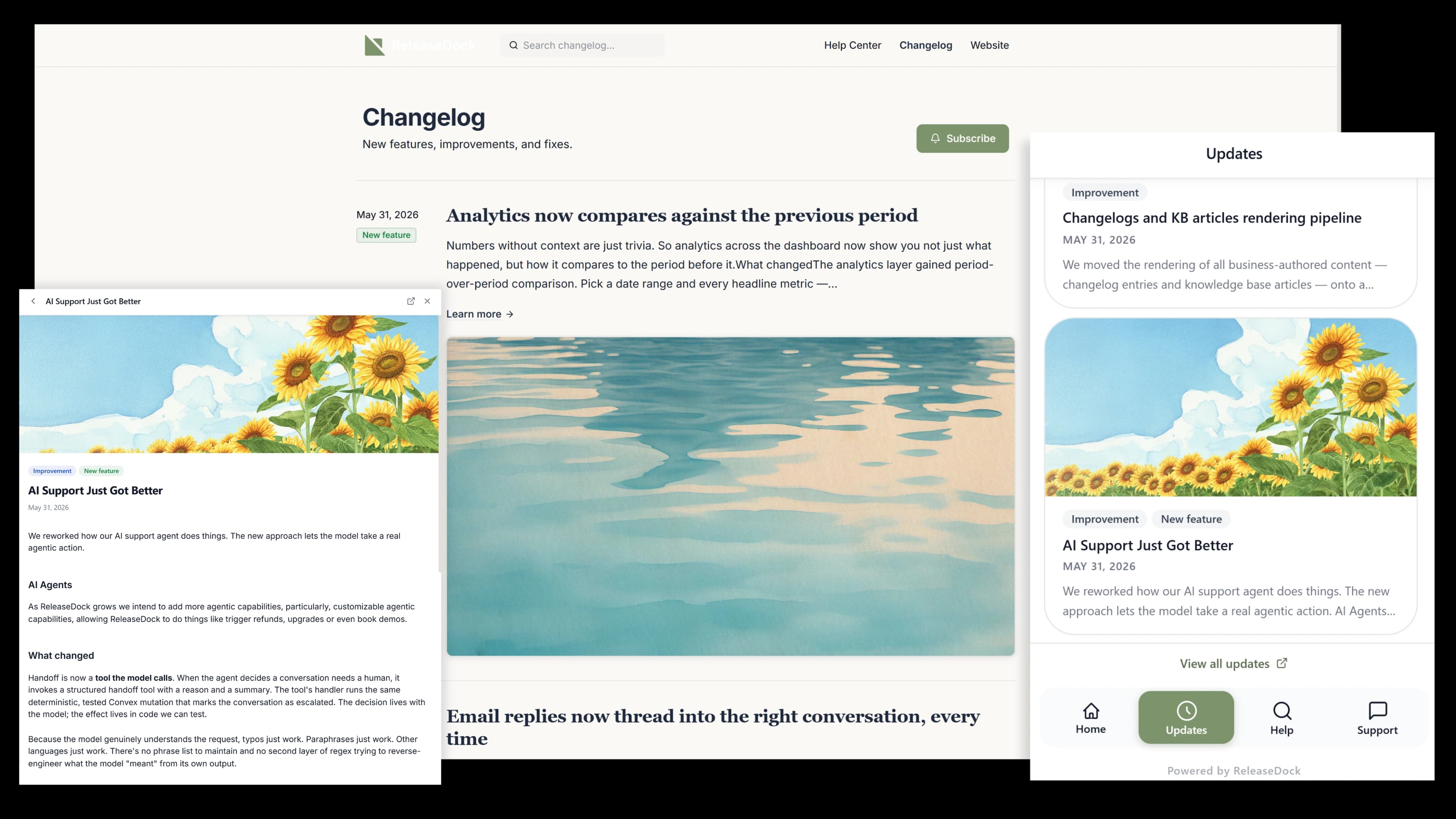
Three steps from draft to announced
No deploy step, no marketing hand-off, no separate publishing pipeline to maintain.
Write the update
Open the editor, add a title and blocks. Slash commands cover headings, images, video, code, and callouts.
Label it, schedule it
Tag it as a feature, fix, or improvement, add a cover image, and pick when it goes live, now or launch day.
It reaches everyone
The hosted page updates and the widget badge ticks up, so users see the release the next time they open your app.
From a blank page to a release your users see.
Write it in a real editor, publish it to a branded page, and let it land in the widget feed, one entry, every surface, no copy-paste.
The editor
Write in a real editor, not a textarea
It's the same block editor behind your knowledge base, so anyone on the team can write a release note that looks designed, with zero markdown knowledge.
- Slash commands for headings, callouts, images, and video embeds
- Drag-to-reorder blocks and syntax-highlighted code
- Cover images and color-coded labels so entries are scannable
In the widget
Updates find users where they already are
Every release appears in the widget's updates feed inside your app, with an unread badge that quietly pulls people back. No send to schedule and no list to manage, the update is just there when they open your app.
Everything else you get
Labels and categories
Tag entries as feature, fix, or improvement and color-code them so readers scan straight to what they care about.
Schedule ahead
Queue entries for a release window. They go live automatically, no one has to push a button at launch.
Reactions
Three-emoji reactions, deduped by fingerprint. See which releases land and which ones quietly miss.
Hosted page included
A clean public announcement at your subdomain or custom domain, SEO-friendly and fully branded, out of the box.
Shareable permalinks
Every entry gets its own URL, so you can drop a release straight into a tweet, a sales email, or a support reply.
Questions, answered
The practical details, before you sign up.
Can I schedule entries to publish at a specific time?
Yes. Pick any future date and time when you publish. The entry stays a draft until that moment, then goes live on its own, the hosted page and the in-app widget badge update together, so a launch ships itself while you sleep.
Can users react to entries?
Yes, three emoji reactions, deduplicated by browser fingerprint so the same person can't farm them. It's a lightweight signal of which releases landed; for back-and-forth, the built-in support inbox is the better home.
Does the public announcement work without the widget?
Yes. The hosted announcement is a fully standalone page at your subdomain or custom domain. Plenty of teams link to it from a footer or a 'What's new' nav item and never embed the widget at all.
How does the widget know which entries to show?
Every published entry flows into the widget's updates feed automatically. You can hide a specific entry from the widget while keeping it on the hosted page if you want tighter control.
Can I migrate existing entries from another tool?
Markdown import works one entry at a time today. For a large archive, reach out, we can usually unblock a bulk import so you don't start from an empty page.
Give your releases the audience they deserve.
Free for 7 days. One script tag. No credit card.
Free for 7 days · No credit card · 5-min setup