
Everything your customers see, in one platform.
Live chat, an AI agent, announcements, and a help center your team runs from one place. The whole customer-facing layer, built and hosted on your brand.
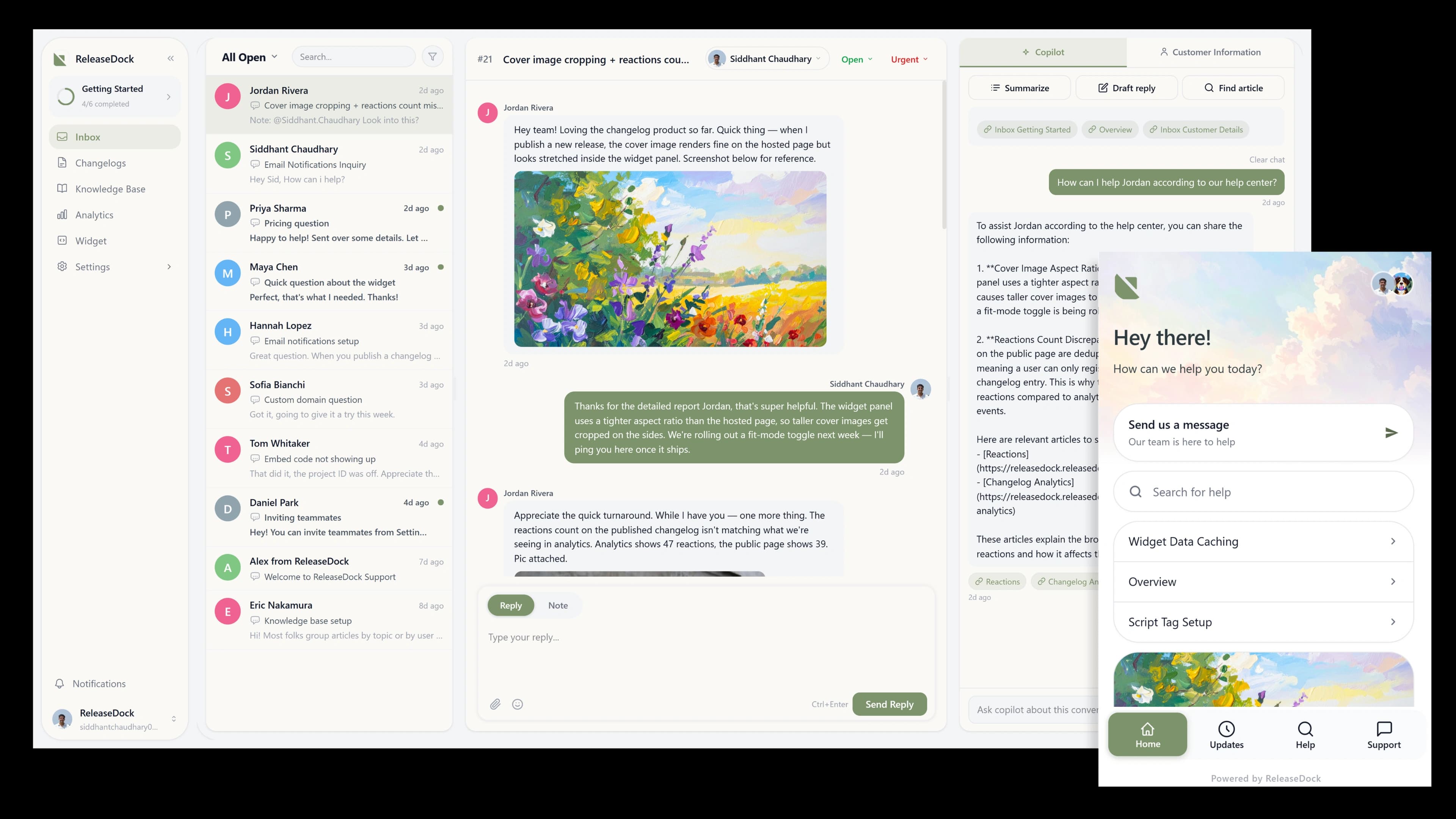
Up and running in minutes
No migration, no engineering project. Three steps from sign-up to a live widget on your site.
Create your project
Pick a name and a slug. Your hosted help center, announcement, and the support inbox are all live the moment you sign up.
Make the widget yours
Pick colors, position, launcher style, and labels. Toggle modules, set page targeting, and preview every change live in the dashboard.
Embed one script tag
Paste a single line into your site. Conversations, articles, and updates start flowing through the same widget your customers already see.
Everything your users need, in one place.
One embed runs three jobs at once — answering questions, surfacing your docs, and announcing what shipped.
Beyond the widget
Built for the rest of your stack.
The widget is the front door. Behind it is everything you need to ship — AI support, custom domains, email notifications, analytics, and a permissions model your team can grow into.

Resolve queries faster
One launcher, every job your users need, and a Copilot that helps your team answer in seconds.
Less busywork
Your team only sees what needs a human.
The AI agent answers from your help center and changelog — with citations — and clears the repeat questions on its own. When it isn’t sure, it hands the conversation to your team with the full transcript attached. You spend your time on the tickets that actually need a person, not the same FAQ for the hundredth time.

What your users actually see
Everything your team manages reaches customers as two polished surfaces, a widget on your app and a help center on your domain. No design work, no second site to run.
See the widget→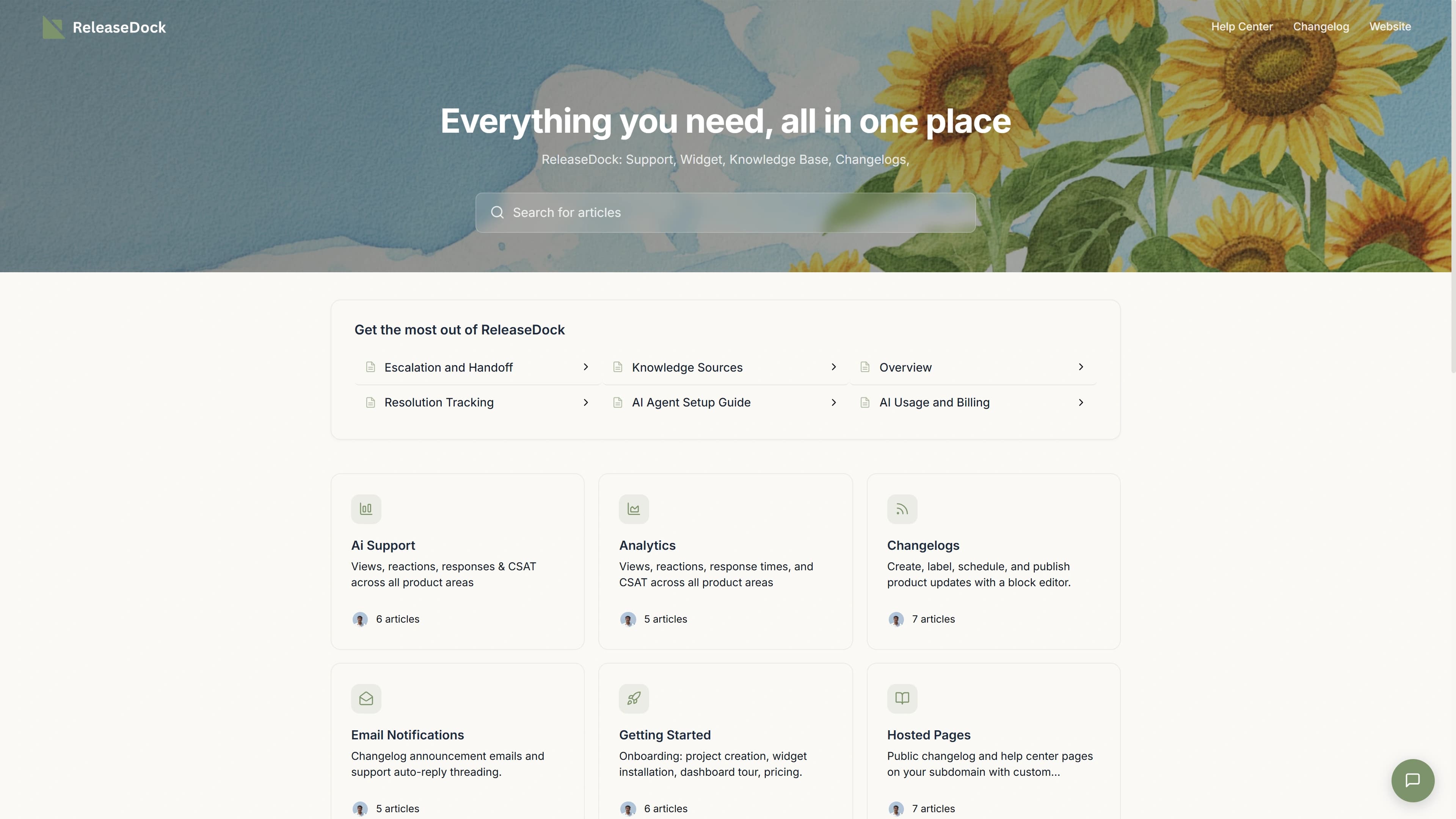
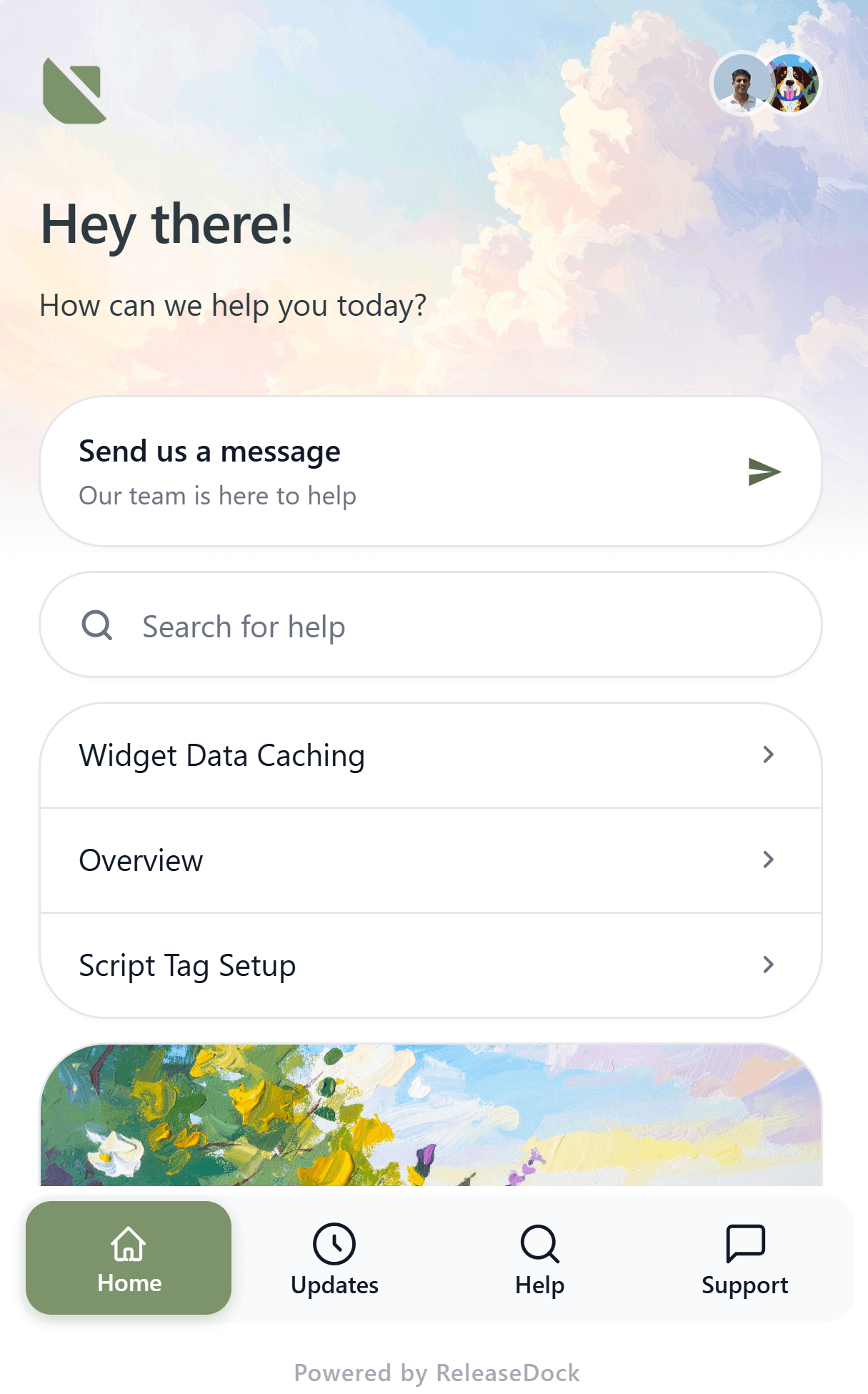
The widget your users open
Live chat, AI answers, help articles, and product updates behind one launcher, embedded with a single script tag and isolated from your site's styles.
Explore the widget→Your help center, on your domain
A branded, searchable knowledge base served from your own domain, DNS and SSL handled for you, with nothing extra to maintain.
Explore hosted pages→One platform, every surface
Six products that share one dashboard, one widget, and one set of data. Open any tile to see how each piece works.






And a dashboard your team will actually open.
Set it up once, then run support from one place, customize the widget, let Copilot draft the reply, and bring the docs you already have.
Everything your support stack needs. One subscription, no integrations to glue together.
Updates, help center, support inbox, and announcement from one widget, backed by a dashboard your team will actually open.
Start freeQuestions, answered
The practical details, before you write a single line of integration code.
Browse the help center→How do I install the widget?
One script tag with your project ID. No npm package, no build step, and no backend changes, the loader runs asynchronously after your page, so it never blocks initial render.
Will it clash with my site's CSS or JavaScript?
No. The widget mounts inside a Shadow DOM, so its styles are sealed off from your page in both directions, your CSS can't leak in, and the widget's can't leak out. Your global scripts and the widget never share scope.
Can I use the announcement and help center without the widget?
Yes. Both are served as standalone hosted pages on your own subdomain, or a verified custom domain. Link to them directly from your site and skip the embed entirely.
How does user authentication work?
Two modes. Visitor mode is anonymous and needs zero setup. Authenticated mode verifies a JWT you sign server-side with HS256, using a secret generated in your dashboard, so conversations attach to a real name and email.
Can I bring articles over from another tool?
Yes. Import knowledge base content from Markdown, one file at a time, or a whole archive as a zip. Headings, formatting, and structure carry over.
What's in the trial, and what happens when it ends?
Every feature for 7 days, no card required. When the trial ends your data stays exactly where it is, the project drops to read-only until you upgrade. Nothing is deleted.
Get your customer-facing layer live today.
One script. Chat, AI, announcements, and a help center, all on your brand, all in one platform.
No credit card required · Live in an afternoon · One script to install