
Knowledge Base
Your best support agent
never sleeps.
A great help center answers the question before it ever becomes a ticket. Build one in an afternoon, publish it to your own domain and inside your app, and watch repetitive questions quietly disappear.
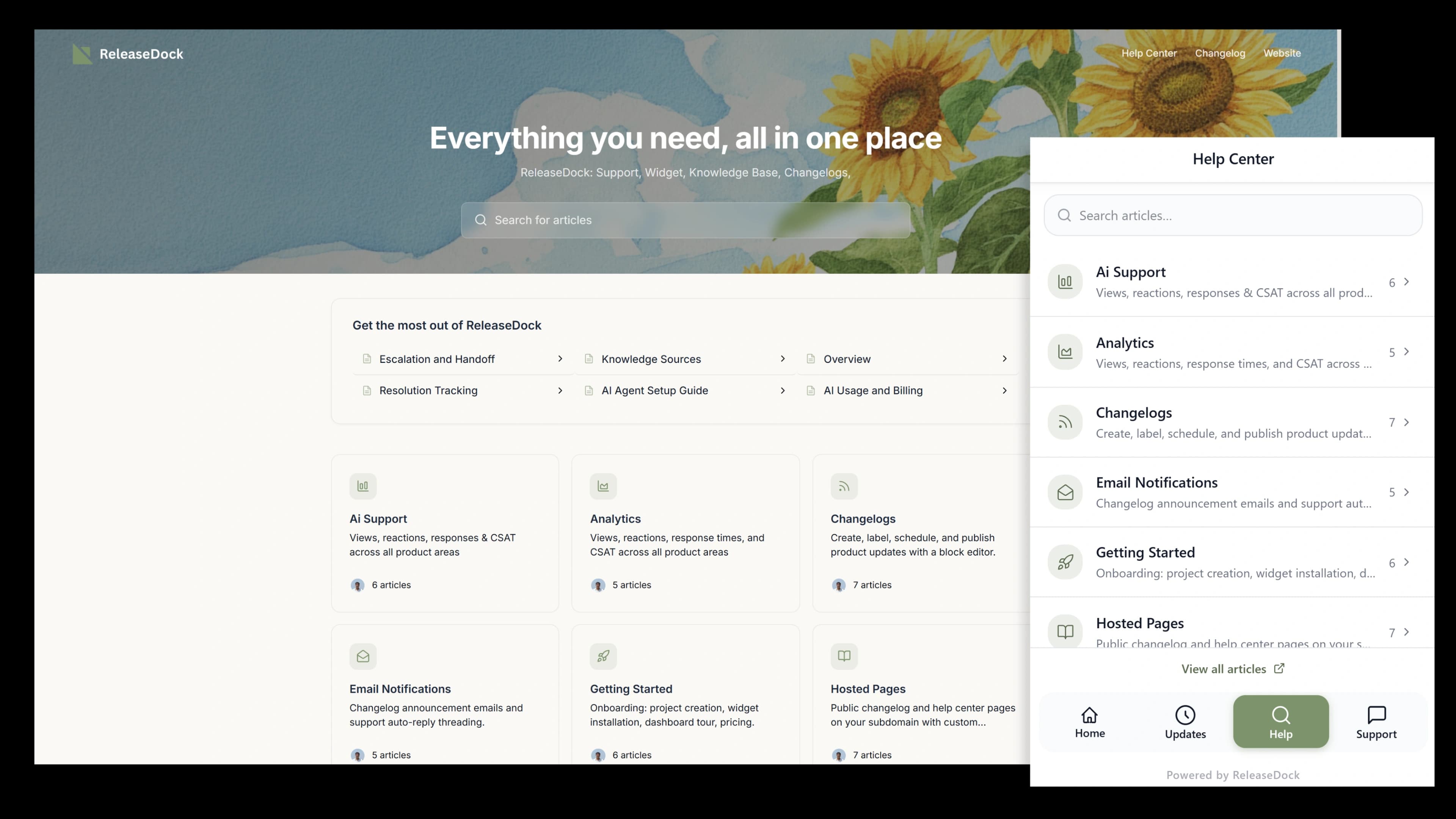
A real help center, in an afternoon
No separate docs tool to learn, no theme to configure, no painful migration off your old platform.
Create collections
Group articles by product area or audience. Two levels of nesting keep a growing library tidy.
Write or migrate
Use the block editor, or drop in a zip of existing docs and import the whole library in one pass.
Publish everywhere
Articles go live on your hosted help center, inside the widget, and as the AI agent's source, instantly.
Build it, fill it, ship it.
Structure your help center into collections, bring the docs you already wrote in minutes, and publish a searchable site that deflects tickets around the clock.
Migration
Move your whole help center in one drop
Switching tools usually means weeks of copy-paste. Here you upload a zip of your existing docs and the entire library lands at once, folders become collections, articles keep their structure, and you're ready to publish.
- Bulk zip import for an entire library in a single pass
- Single-file markdown import for one-off articles
- Structure preserved, so you organize instead of rebuild
Search
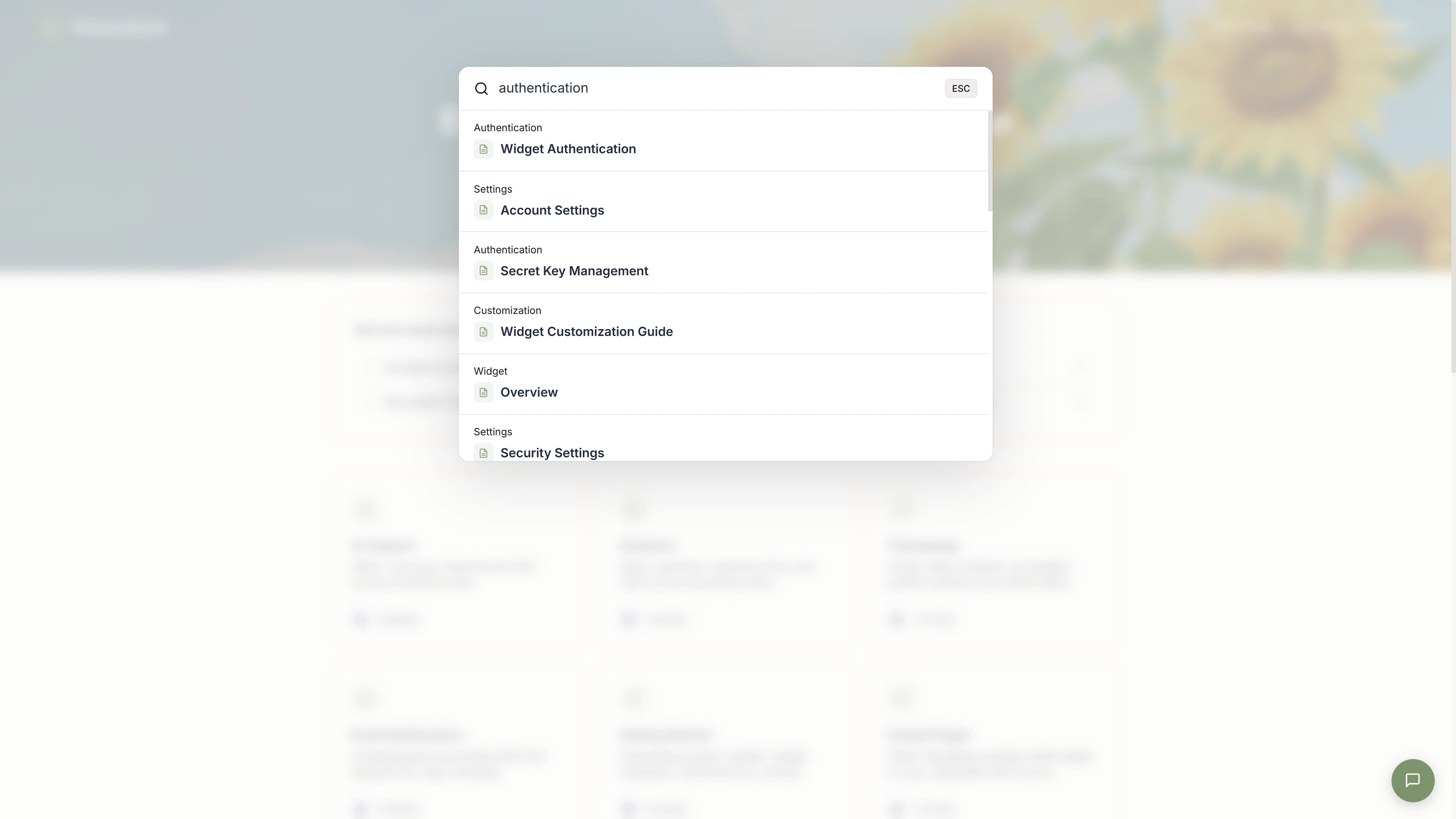
Search that ends the question, not starts a ticket
Full-text search ranks the right article to the top as the user types, on the hosted page and inside the widget. Every query is logged, so the searches that come back empty become your content roadmap.
In the widget
Answers without leaving your app
The same articles appear inside the widget, right next to the chat option. Customers browse and search in context, and the ones who self-serve never become a ticket your team has to touch.
Everything else you get
Block-based editor
The same writing surface as the announcement, slash commands, embedded media, code, callouts, and structured headings.
Collections & sub-collections
Group by product area, audience, or topic, with two levels of nesting. Organized, never buried.
Article feedback
Thumbs-up and thumbs-down on every article. Spot the weak spots by watching what earns the downvotes.
Search analytics
See exactly what users search for. Empty results are a ready-made list of articles still to write.
Hosted + in-app
One source of truth serves your public help center, the in-app widget, and the AI agent at once.
SEO-friendly by default
Server-rendered pages, clean URLs, and a sitemap mean your articles can rank and earn organic traffic.
Questions, answered
The practical details, before you sign up.
Can users search the knowledge base from inside the widget?
Yes. The widget has a search bar that runs full-text queries against your published articles and returns results inline, no page reload, no redirect out of your app. The same search powers the hosted help center.
How do collections work?
A collection groups related articles; you can nest one level deep (sub-collections) to organize by product area or audience. Two levels is the sweet spot, enough structure to stay findable, not so much that readers get lost.
Can I bring the docs I already have?
Yes. Import a single markdown file, or drop in a zip of your whole library and it imports in one pass with structure intact. Migrating off another tool is a few minutes, not a weekend project.
How do I know which articles are actually helping?
Each article tracks views and thumbs-up/thumbs-down feedback, and the search log captures what people typed. The queries that returned nothing are the most valuable signal you'll get, they tell you exactly what to write next.
Does the hosted help center have its own page?
Yes. Every project gets a help center at your-slug.releasedock.co/help, and you can attach a custom domain. It's server-rendered, fast, and SEO-friendly with a sitemap, so articles can rank and pull in organic traffic.
Is this the same content the AI agent uses?
Yes. Published articles are embedded and become the source the AI support agent answers from, so every article you write makes your automated support smarter at the same time. One investment, two payoffs.
Turn your docs into a support team that scales.
Free for 7 days. One script tag. No credit card.
Free for 7 days · No credit card · 5-min setup