Best Knowledge Base Software for Startups in 2026

Best Knowledge Base Software for Startups in 2026
Knowledge base software splits into two kinds, and picking the wrong one wastes months. Internal wikis (Notion, Confluence) organize what your team knows. Customer-facing help centers (Document360, Helpjuice, Gleap, ReleaseDock) deflect support tickets by answering what your customers ask. This guide covers the customer-facing kind for startups — the lane where a knowledge base actually lowers your support load.
First, which kind of knowledge base do you need?
If you're trying to document internal processes so new hires ramp faster and founders stop being the human FAQ, you want an internal wiki — Notion, Confluence, or Slite. If you're trying to cut the volume of repetitive customer questions, you want a customer-facing help center that your users can search, ideally without leaving your app. These are different products, and most tools are clearly built for one or the other. The rest of this guide is about the second kind.
It matters because publishing articles isn't the same as deflecting tickets. Gartner found that only 14% of customer issues are fully resolved in self-service, even though 73% of customers try it first. The gap is almost always findability — weak search, docs buried on a separate domain, no AI to answer in plain language. So the right tool for a startup isn't the one with the most features; it's the one your customers can actually get answers from.
What startups should look for
Strong search, ideally AI-powered. Most self-service fails at "I can't find it." Semantic search and an AI agent that answers from your articles close that gap.
In-app, not just a subdomain. Help that appears inside your product, at the moment of friction, deflects far more than docs at
help.yoursite.comthat users have to go hunting for.Your own domain and branding. A help center on your domain builds trust and earns SEO; a generic vendor subdomain does neither.
Fair, predictable pricing. Many KB platforms are built for large companies, not lean teams — watch for per-seat pricing that counts read-only users, or quote-only pricing that hides the real cost.
Easy migration. If you're moving off Notion or a competitor, one-click or bulk import decides whether the switch takes an afternoon or a sprint.
The best customer-facing knowledge base tools for startups
1. ReleaseDock — the bundle built for product-led startups
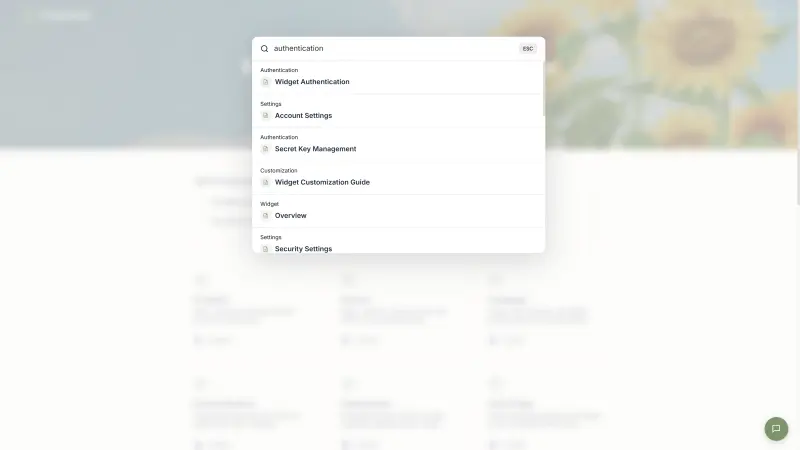
ReleaseDock puts a customer-facing knowledge base, an AI support agent, a live-chat inbox, and a product changelog into one embeddable widget — a single script tag, isolated in a Shadow DOM so it won't break your app's styles. You get a hosted, branded help center on your own domain plus the same articles searchable in-app, where users actually hit problems. The AI agent answers directly from your published articles, and a "Was this helpful?" vote on each article tells you what to rewrite. Migrating off another tool is a single bulk ZIP import of your markdown.
Pricing is a one-time founding-member Lifetime Deal: $149 once for one of 200 launch spots, with 250 AI support conversations a month included and $0.02 per conversation after. Be clear-eyed that this is launch-only — once the 200 spots are gone, the deal is gone for good and ReleaseDock moves to standard recurring pricing.
Where it's the wrong choice — honestly: if you need a deep documentation platform (article version history, multi-version API docs, granular content workflows), Document360 or Helpjuice go further. ReleaseDock has no article versioning, its analytics are lighter than Helpjuice's, and it's a newer, smaller product. It's built for startups that want self-serve support and product updates in one place, not for running enterprise documentation.
2. Document360 — the deep documentation platform
Document360 is the dedicated choice for content-heavy, structured product documentation, with a strong editor, categories, and versioning. It's genuinely powerful for single-product SaaS that lives or dies on its docs.
Trade-off: it moved to quote-based pricing in late 2024 and no longer publishes prices — you contact sales for every plan, and historical list pricing started around $199/month per project (an extra product or portal is a second project, billed again). For a lean startup watching budget, sales-led and quote-only is friction, and reviewers consistently note the platform takes time to learn.
3. Helpjuice — customization and search, at a premium
Helpjuice has been around since 2011 and earns its reputation for customization (they'll style your KB to match your brand for free) and a strong search engine. If deep customization and analytics are your priority, it's a serious option.
Trade-off: it's one of the priciest tools in the category, with tiers based on author/editor seats and AI features gated to higher plans — pricing that escalates fast for a small team. Confirm current pricing on their site before committing, since published figures vary.
4. Gleap — all-in-one with bug reporting
Gleap bundles a knowledge base, AI agent (Kai), live chat, and in-app bug reporting with automatic context capture. If visual bug reports and session context matter as much as your help center, it's a strong all-in-one. Gleap lists its Team plan from $149/month for unlimited seats.
Trade-off: the bug-reporting and feedback surface is broad — great if you need it, more than a team that just wants a searchable help center and support will use.
5. Notion — fine to start, not a help center
Notion is where many startups begin, and its free tier is genuinely useful for internal docs and early FAQs. But it isn't a customer-facing help center: search is weak at scale, there's no real SEO, no in-app embed, and no ticket deflection. Most teams outgrow it for customer support and move to a purpose-built tool.
How to choose
Start with the two-lane question: internal wiki or customer-facing help center? If it's customer-facing — which, if you're trying to reduce tickets, it is — narrow by two things. First, how do customers reach it: does it embed in your app with AI search, or only live on a subdomain? Second, what's the real cost at your size: flat and predictable, or seat-based and quote-only that balloons as you grow? For most early-stage SaaS teams, an in-app, AI-searchable help center on a fair plan beats an enterprise documentation suite you'll spend a quarter configuring.
Key takeaways
Knowledge base software splits into internal wikis (Notion, Confluence) and customer-facing help centers (Document360, Helpjuice, Gleap, ReleaseDock). For deflecting support tickets, you want the second kind.
Publishing articles isn't deflection: only 14% of issues fully resolve in self-service (Gartner), and the usual culprit is findability — weak search and docs on a separate domain.
For startups, prioritize AI-powered search, an in-app embed, your own domain, fair pricing, and easy migration over enterprise feature depth.
Document360 is the deepest docs platform but went quote-only in late 2024; Helpjuice is powerful but among the priciest, with AI gated to higher tiers.
ReleaseDock is the bundle option — help center + changelog + support + AI in one widget at a one-time founding price — at the cost of no article versioning and lighter analytics. Notion is fine to start but isn't a customer-facing help center.