How to Write Release Notes People Actually Read

Why most release notes get ignored
Open almost any product's changelog and you'll find the same thing: a list of version numbers followed by "bug fixes and performance improvements." Technically accurate. Completely useless.
The problem isn't that people don't care what you shipped. It's that the note was written for the person who shipped it, not the person reading it. Your customer doesn't know what "v2.4.0" means and doesn't want to. They want to know one thing: does anything change for me?
Good release notes answer that question fast, in plain language, in a place people will actually see them. That's the whole skill. Here's how to do it consistently.
What a good release note does
A release note has one job: turn something you built into something a customer understands and, ideally, gets excited about. The best ones do three things.
They lead with the benefit, not the feature. "We added bulk actions" is a feature. "You can now archive 50 conversations in one click instead of fifty" is a benefit. The customer feels the second one.
They're specific. Vague notes ("improved performance") get skipped because they sound like filler. Concrete numbers and outcomes ("search is now about 3x faster") earn a moment of attention.
They tell the reader what to do — even if the answer is nothing. "It's already live, nothing for you to do" is a real, satisfying ending. So is "turn it on under Settings → Inbox." Never leave people guessing.
A simple template you can reuse
You don't need a different format every time. Use this and fill in the blanks:
A short, human title — what changed, in five words or fewer.
One or two sentences on the benefit — what's better now and why the reader should care.
What to do next — a link, a toggle, or "nothing, it's live."
That's it. Resist the urge to add changelog ceremony. A three-line note that's read beats a twelve-line note that's skimmed.
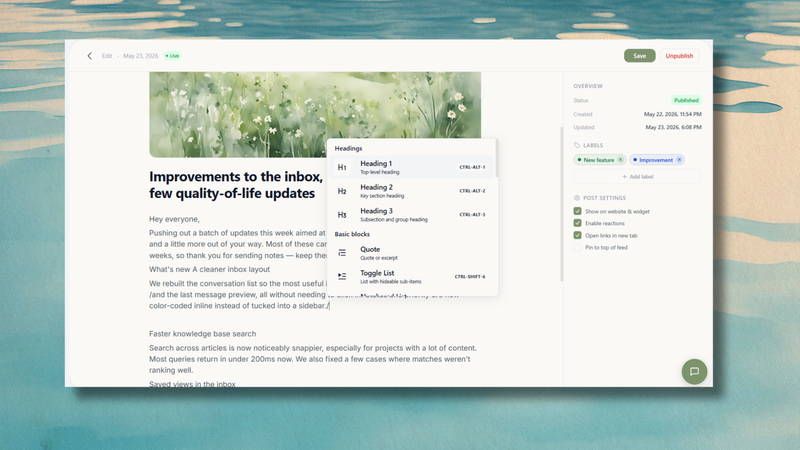
Before and after: a real example
Here's the difference the template makes.
Before:
v2.4.0 — Bug fixes and performance improvements. Updated search indexing. Various UI tweaks.
After:
Search is 3x faster We rebuilt how results load, so finding an old conversation no longer means waiting around. It's already live — nothing for you to do.
Same release. The second version respects the reader's time, makes a concrete claim, and closes the loop. It also gives people a reason to trust your next note, which is how you train an audience to actually read your changelog.
Match the format to where people read it
A release note isn't one thing — it lives in a few places, and each wants a slightly different shape.
In a hosted changelog page, you have room: a title, a couple of sentences, maybe a screenshot. This is your archive and your SEO surface, so write it like a tiny blog post.
In an in-app widget, space and attention are tight. Trim to the title and one sentence. People are mid-task; you're interrupting them, so earn it quickly.
In a release email, lead with the single most important change. Most people read the first line and the subject and nothing else, so put the payoff there.
The trick is to write once and let each surface show the right amount. If you publish through a tool like ReleaseDock, your changelog page, in-app widget, and subscriber email all pull from the same entry, so you're not rewriting the same note three times.
A 30-second pre-publish checklist
Before you hit publish, run through this:
Would a customer who's never seen your roadmap understand the title?
Did you lead with the benefit, not the version number?
Is there at least one specific detail (a number, an outcome, a name)?
Does the reader know what to do next?
Did you cut every sentence that exists only for you?
If all five are yes, ship it.
The ripple effect of clear shipping
Writing great release notes isn’t just about fixing a boring changelog; it is a quiet competitive advantage. Every clear, human note you publish signals to your users that your product is actively evolving and that you value their time. It reduces routine support tickets from confused users, gives your marketing team easy wins to share, and builds deep customer trust. Stop treating your release notes like a technical chore and start treating them like a core part of your user experience.
Start small
Your first release note doesn't need to be perfect. Write one for the most recent thing you shipped, keep it to three lines, and publish it. The habit matters more than the polish — a changelog that's updated regularly with short, clear notes will always beat a beautiful one that's six months stale.
Once you've written a few, you'll stop thinking about format and start thinking about the reader, which is exactly where you want to be.